Social Listening30 September 202613 min read
The 10 Best Social Media Monitoring Tools in 2026
Three of these ten publish how often they actually check for new mentions, and on the entry plan it is every twelve hours. Ten monitoring tools judged on the two numbers that decide the purchase: how fast the alert arrives, and where it lands.
 Anil SalviCMO and co-founder, BrandRobin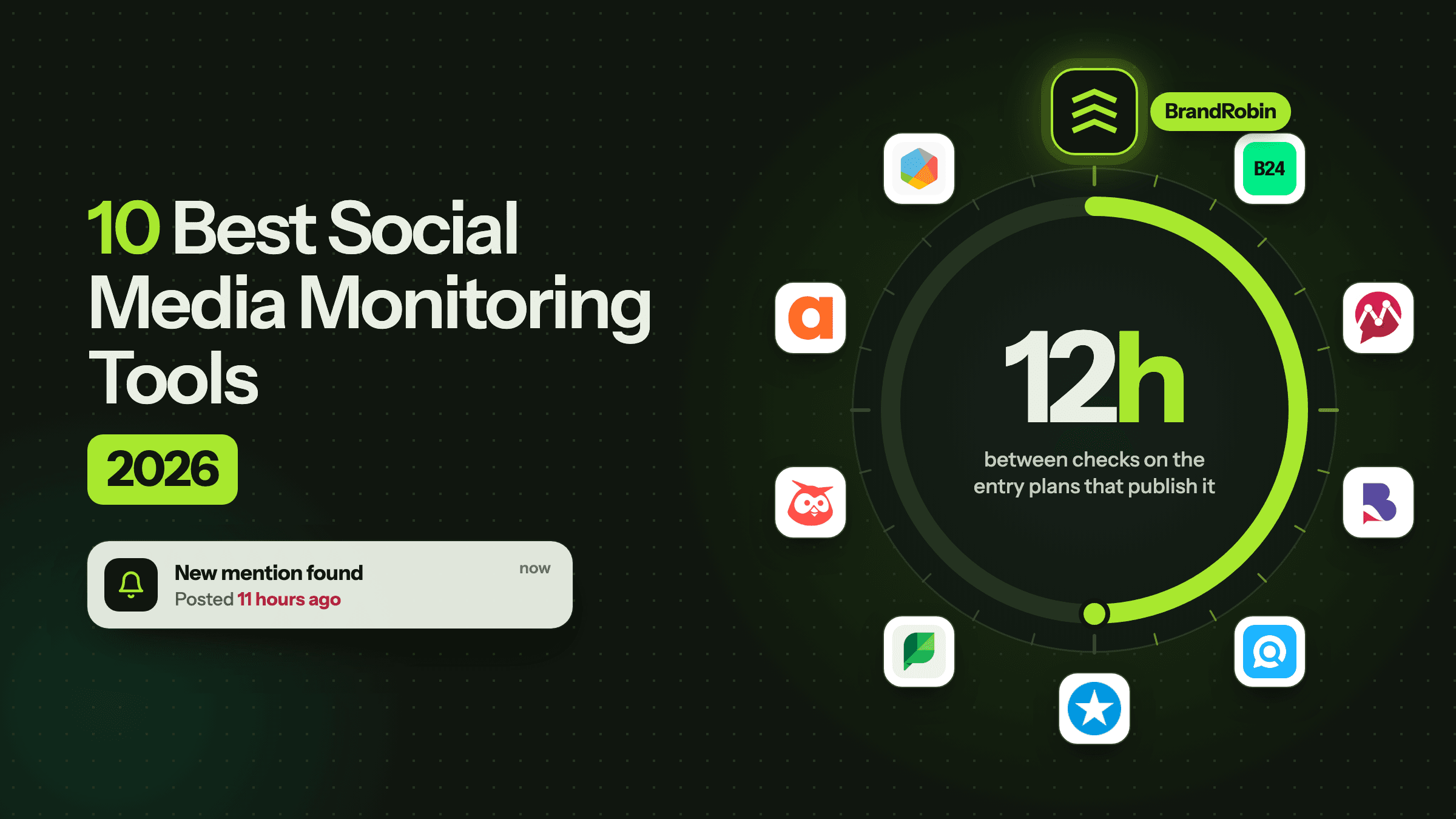
Three of the ten tools below publish how often they actually check for new mentions. On the entry plan of each one, the answer is every twelve hours, every twelve hours, and once a day.
The other seven describe themselves as real-time monitoring and leave it there.
I spent almost nine years as a CMO before we started building BrandRobin, and the thing that makes monitoring worth paying for is not coverage. It is latency. A Reddit thread you find on Tuesday morning is a conversation you can join. The same thread on Thursday is an apology.
That gap is a large part of why we started building BrandRobin at all. Not because this category is bad, most of these tools do their job well, but because the number that decides whether monitoring works is the number almost nobody prints.
So when I sat down with these ten, I stopped reading feature lists and went looking for two things on every pricing page. How often does this tool check. And where does it put the alert when it finds something.
Both are harder to find than they should be, and finding them reorders the list.
BrandRobin is in here too, second, with no special treatment. Where another tool does something better, I say so. Where we fail my own test, and we fail half of it, I say that too.
Everything was read off each vendor's own pricing and product pages on 30 September 2026.
Monitoring and listening are not the same job
People use the two words interchangeably and vendors are happy to let them, because the same dashboard can be sold as either. They are not the same job, and the difference decides which half of this list you should be reading.
Monitoring is operational. Something happened, you need to know now, and somebody has to reply. The measure of success is how fast the right person found out.
Listening is analytical. You want to know why sentiment moved this quarter, which competitor is taking share of the conversation, and what your category argues about. The measure of success is whether the answer was true.
The same tool can do both, but they stress different parts of it. A monitoring tool that checks twice a day is a bad monitoring tool and a perfectly good listening tool, because a quarterly trend does not care whether a mention arrived at 09:00 or 21:00.
That is the whole reason this list is ordered differently from our best social listening tools comparison, which looks at the same category through the analytical lens. If you are still deciding which of the two you are buying, what brand monitoring covers is the shorter version of this argument.
The short list
If you only have a minute, this is the article in one table.
| Tool | Best for | Entry price, as published | Refresh on that plan |
|---|---|---|---|
 Brand24 Brand24 | The broadest self-serve channel list | $199/mo billed annually, $249 monthly | Every 12 hours |
 BrandRobin BrandRobin | Alerts measured against your own normal, delivered where you work | Free for 7 days; paid plans coming soon | Not published |
 Mentionlytics Mentionlytics | Review sites, and an honest refresh ladder | $49/mo billed yearly | Every 12 hours |
 BrandMentions BrandMentions | Accuracy on a small keyword set | $79/mo billed annually, $99 monthly | Daily |
 Awario Awario | Mention volume on a small budget | $29/mo billed annually, $49 monthly | Not published |
 Mention Mention | Mid-size brands comfortable with a sales call | Not published | Not published |
 Sprout Social Sprout Social | Teams who already reply inside Sprout | $79 a seat billed annually; listening add-on not published | Owned profiles are live; listening unstated |
 Hootsuite Hootsuite | Monitoring beside your publishing queue | From $99 a seat; advanced listening is Enterprise | Owned profiles are live; 7-day search on Standard |
 Agorapulse Agorapulse | Answering comments and DMs from one inbox | $79 a seat billed annually, $99 monthly | Owned profiles are live; listening is an add-on |
 Brandwatch Brandwatch | Enterprise research with alerting attached | Not published, demo only | Not published |
How I compared them
I have not held a paid contract on all ten, and I am not going to imply otherwise. What I can do is hold every vendor to what it has written down, because that is also what you can hold it to on a renewal call.
Five things decided the pros and cons.
- The refresh interval, per plan. Not the word real-time in a headline. The number in the plan table, for the plan you would actually buy.
- Where the alert lands. Slack, Teams, email, a webhook, or nowhere except a tab you have to remember to open.
- What is in the message. A count, or the post itself with a link.
- The published price, and specifically the price of the plan where the speed becomes usable.
- What reviewers keep raising. Where a con comes from reviews, it is a recurring theme on G2 and it is attributed as such, not presented as my verdict.
Note what is not on that list. Total source count is not there, because "over 100 million sources" is not a number you can hold anyone to. Neither is mention volume, for reasons I have written about at length in why mention counts lie.
The number nobody puts in the comparison table
Here is the finding that made me want to write this.
Three vendors in this category publish a refresh interval next to each plan. All three show the same shape: the cheap plan is a twice-a-day tool, and real-time is two or three tiers up.
| Tool | Entry plan | Refresh on it | Real-time from | Which costs |
|---|---|---|---|---|
| Brand24 | Individual, $199/mo | Every 12h | Pro | $399/mo, +$200 |
| Mentionlytics | Basic, $49/mo | Every 12h | Advanced, continuous | $299/mo, +$250 |
| BrandMentions | Starter, $79/mo | Daily | Expert | $399/mo, +$320 |
| Awario | Starter, $29/mo | Not published | Not published | Not applicable |
| Mention | Company | Not published | Not published | Price not published |
| Brandwatch | Custom | Not published | Not published | Price not published |
Brand24
+$200
What speed costs a month
+$250
BrandMentions
+$320
The jump is between $200 and $320 a month, on the same vendor, for the same mentions arriving sooner. That is the real price of monitoring, and almost no comparison article prints it, because it only appears if you read the plan table rather than the feature page.
The three vendors above are not the cynical ones here. They are the only three being straight with you. Everyone else, ourselves included, leaves you to assume.
What I would take from this: if speed is the reason you are buying, price the tier where the speed lives and ignore the headline entry price entirely. On Brand24 that is $399 a month, not $199. On BrandMentions it is $399, not $79. If you cannot justify that, buy the cheap plan knowingly, as a record of what was said rather than an alarm, and do not let anyone on the team believe they will hear about a crisis from it.
First, decide which purchase you are making
Ten tools on one page implies they compete with each other. Most of them do not. Put Brandwatch and Awario in the same sentence and you have described two purchases made by different people, signed off at different levels, and priced an order of magnitude apart.
Three different things are on this list.
Always-on keyword monitoring. Brand24, BrandRobin, Mentionlytics, BrandMentions, Awario and Mention. You are buying a net that catches your name wherever it surfaces, including the threads nobody tagged you in. Mostly self-serve, and you can be looking at your own data within the hour.
Monitoring inside a social suite. Sprout Social, Hootsuite and Agorapulse. You are buying an inbox for the accounts you already own, with publishing attached. On all three, watching conversations past your own profiles is an add-on or an Enterprise plan, which is the most misread thing in this category.
Enterprise, with alerting attached. Brandwatch. You are buying an archive and a query language, and the alerting is a by-product of that rather than the reason anyone signs.
Pick the purchase first, then compare inside the group. The expensive mistake here is comparing across them: a per-seat suite for a job a keyword tool does, or a $29 plan carrying an expectation that only a contract could meet.
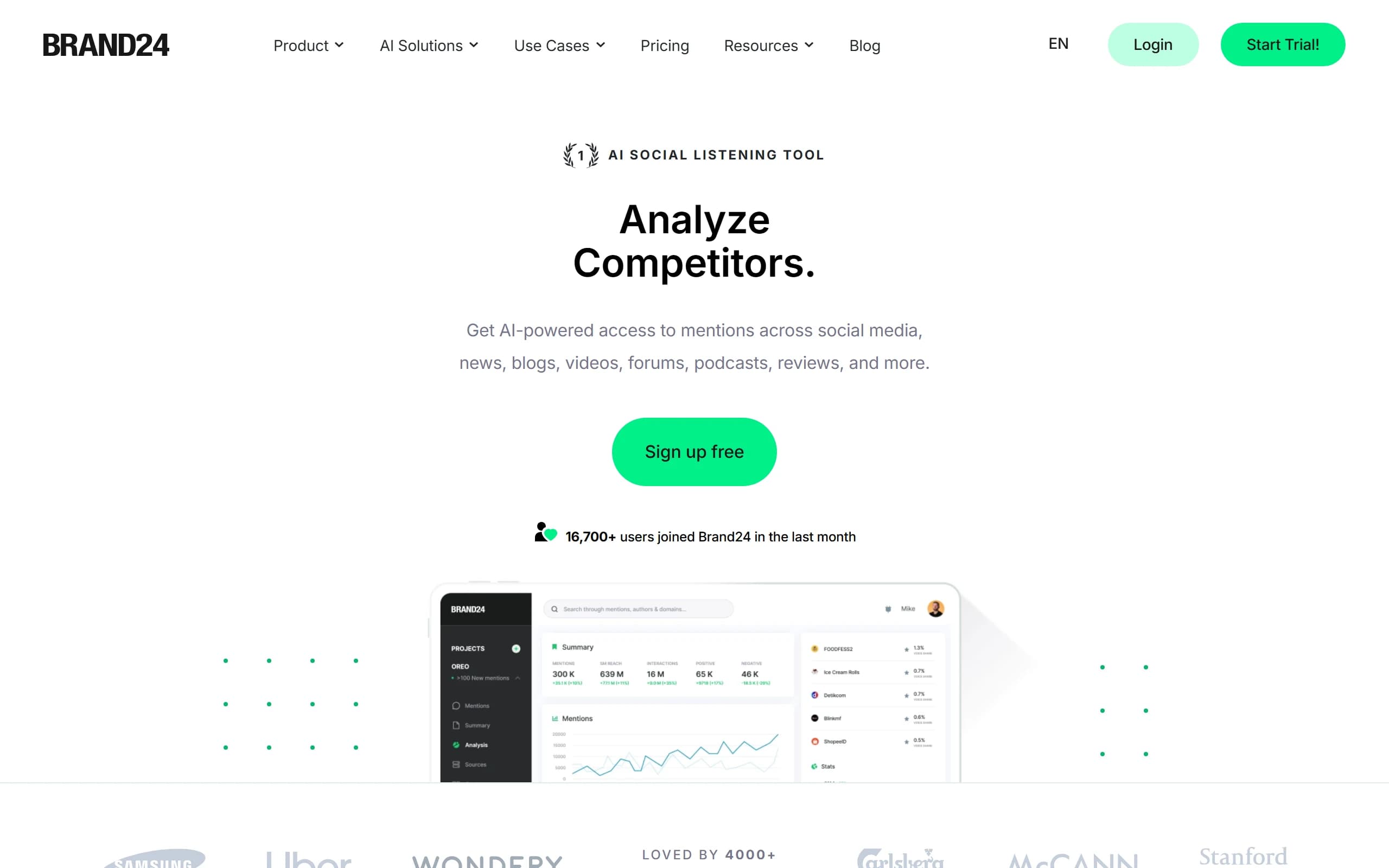
Brand24
- Best for
- Teams that want the broadest named channel list without a sales call
- Starting price
- $199/mo billed annually ($249 monthly). Team $299, Pro $399, Business $599, Enterprise from $1,499
- Free trial
- 14 days, no card
Pros
- Slack, Teams, email and mobile push on every plan, including the $199 one, which is unusual in this group.
- Storm Alerts fire on volume spikes rather than on every keyword match, so the channel stays readable.
- The broadest named channel list you can buy self-serve, and every plan price is published.
- It publishes the refresh interval per plan, which most of this category does not.
Cons
- The $199 plan updates every 12 hours. Real-time starts on Pro at $399 billed annually.
- The entry plan is 3 keywords, 2,000 mentions and one user.
- API access is a $149 a month add-on on top of whatever plan you are on, including the $599 one.
- G2 reviewers mention that tight keyword limits make noise hard to filter when a brand name is not unique.
My take: the best-equipped alerting on this list, which is why it goes first. Just do the arithmetic honestly before the card goes in. A team buying Brand24 to actually be told things is buying Pro at $399, plus $149 if any of it has to reach another system, so $548 a month. That is a real number, it is four times the advertised entry price, and it is still cheaper than most enterprise quotes you will get for the same job.
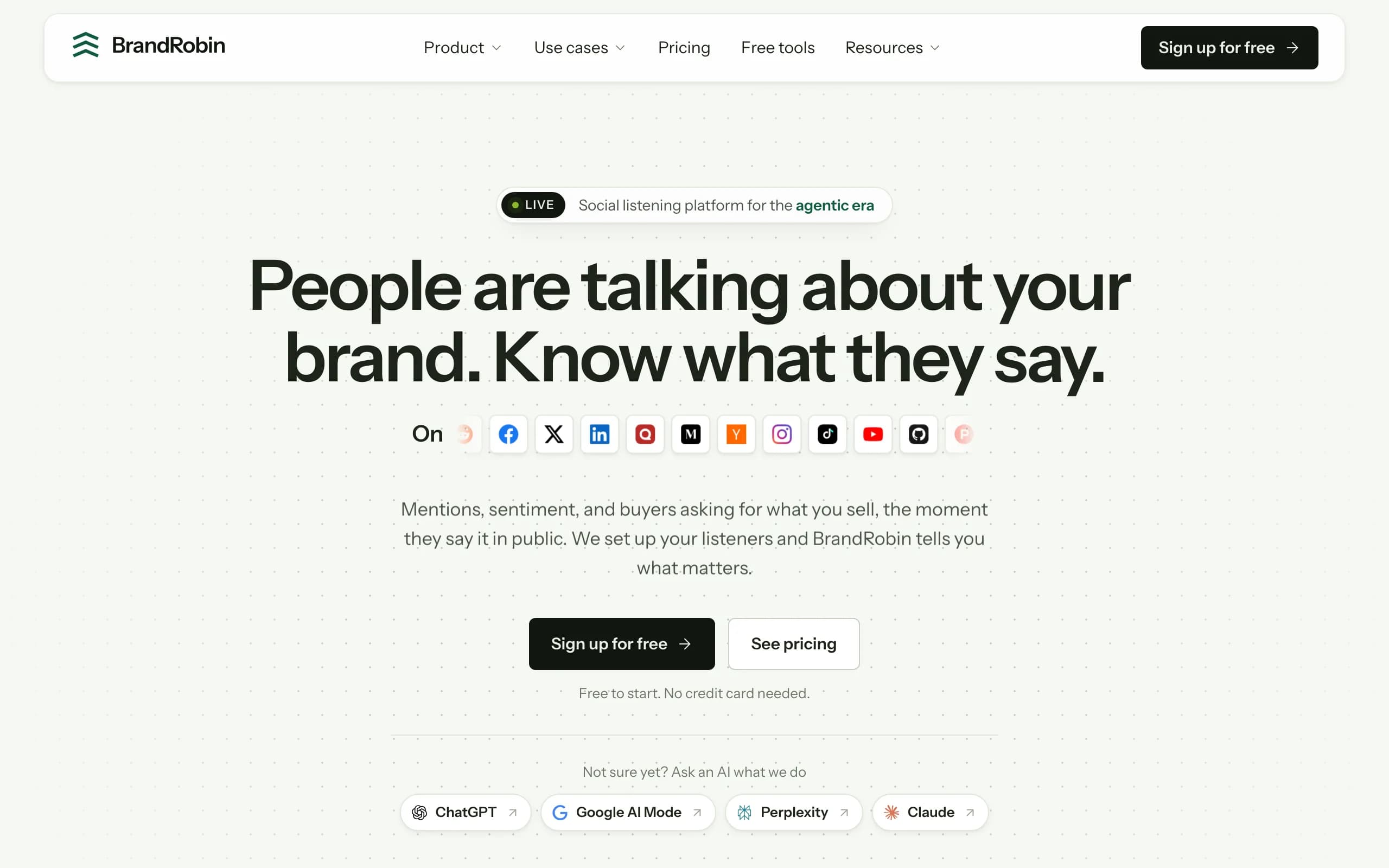
BrandRobin
Ours, so read this section with that in mind, and hold it to the same standard as the rest.
Ours
- Best for
- Brand and marketing teams who want to be interrupted rarely, and correctly
- Starting price
- Free for the 7-day trial. Paid plans are coming soon
- Free trial
- 7 days, no card
Pros
- Spikes are measured against your own rolling normal, per channel, rather than a fixed threshold somebody guessed in week one.
- Slack, Microsoft Teams, email or a webhook, and different severities can route to different places.
- Every alert carries the post that started it, linked, with how far past your normal it is and how fast it is still moving.
- Repeat alerts on one thread fold into the first, there is a daily cap you set, and on a quiet day nothing is sent at all.
Cons
- We do not publish a refresh interval, which is the exact thing this article says you should demand. It varies by plan and the plans are not public yet.
- Pricing is not published, so you cannot budget past the trial today.
- A young product: no licensed broadcast TV, radio or paywalled press.
- No private Slack, Discord or WhatsApp groups, and the MCP server for AI agents is not live yet.
Why it is second, and where it falls short. On the second half of my test, where the alert lands and what is in it, I think we are the strongest thing here: four destinations, severity routing, and the thread itself in the message rather than a number that sends you to a dashboard. The argument behind how our alerts work is mostly about restraint, because every team I have met has muted a listening channel at some point, and a muted channel has failed no matter how good its detection was.
On the first half of my test we fail today. I cannot put a refresh number in that table next to Brand24's, and until pricing is public I cannot show you which tier it sits on. If you are choosing this week purely on published latency, Brand24's Pro plan states its case better than we can state ours. That is the honest read, and writing anything else in an article about reading the fine print would be absurd.
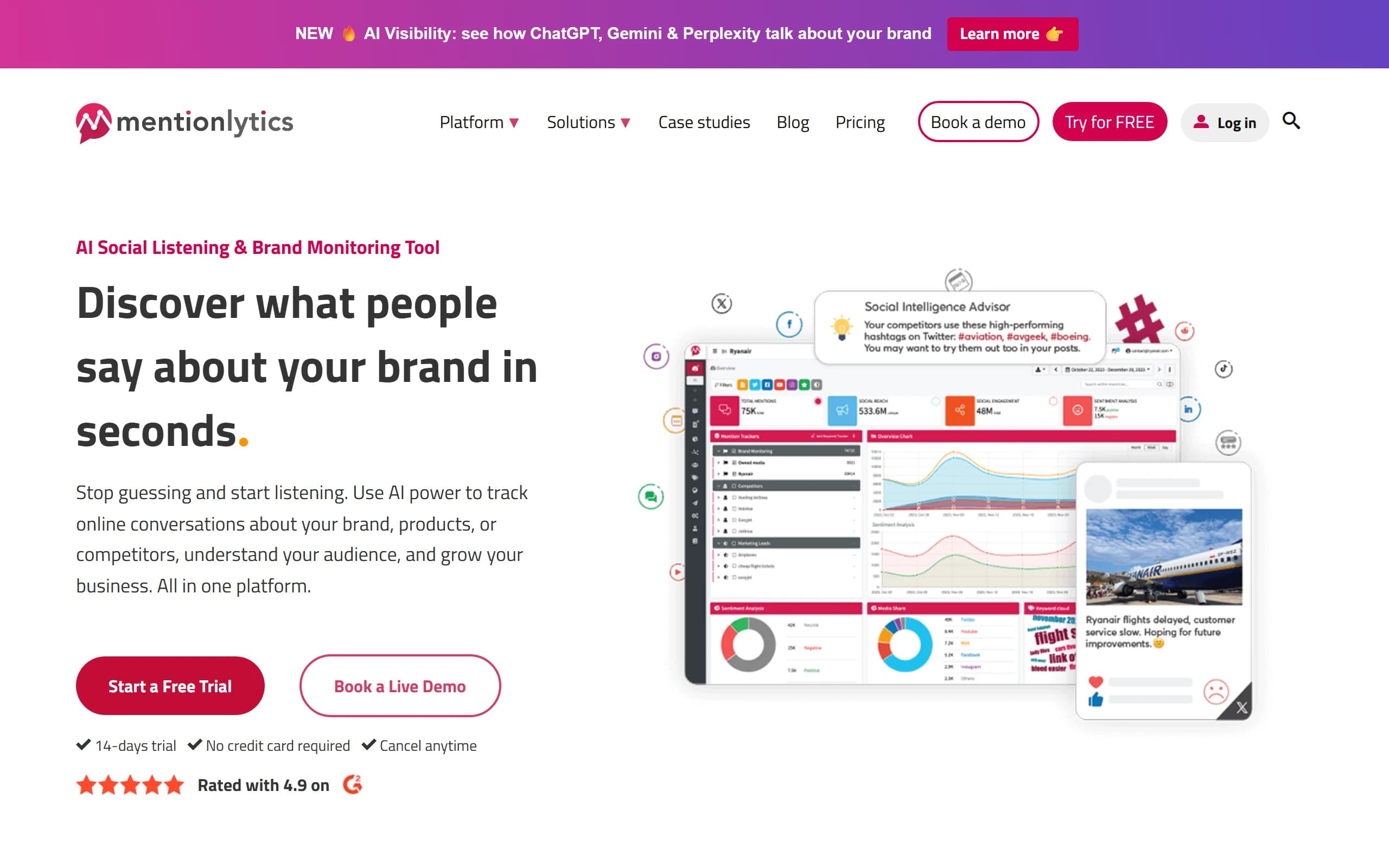
Mentionlytics
- Best for
- Brands where reviews matter as much as social, on a small budget
- Starting price
- $49/mo billed yearly for Basic. Essential $169, Advanced $299, Pro $499
- Free trial
- 14 days, no card
Pros
- Publishes a refresh interval on every plan: 12 hours on Basic, 6 hours on Essential, continuous from Advanced.
- Over 100 review sites alongside the usual social channels.
- Email alerts, mobile push and desktop notifications, with a Slack integration listed.
- The trial includes every feature, and the API opens at Essential rather than at four figures.
Cons
- Basic is 3 keywords and 5,000 mentions, which a consumer brand burns through quickly.
- Continuous updates start at Advanced, $299 a month.
- Published prices are yearly billing, and month to month costs more.
- G2 reviewers mention restrictive mention limits and sentiment that misses sarcasm.
My take: the most honest pricing page in this category, because the speed ladder is written into the plan table where you cannot miss it. Price the $299 plan if you want alerts, or the $169 one if six hours is genuinely fine, which for a lot of B2B brands it is.
BrandMentions
- Best for
- Watching a small, precise keyword set
- Starting price
- $79/mo billed annually ($99 monthly) for Starter. Pro $249, Expert $399, Enterprise from $1,099
- Free trial
- 7 days, card required
Pros
- Reviewers rate its tracking accuracy highest of anything in this price bracket.
- A low published entry price with 5 keywords and 5,000 mentions.
- Real-time notifications on the tiers that have them, with full feature access during the trial.
- Sentiment and emotion tagging included rather than gated.
Cons
- Starter and Pro both update daily. Real-time begins at Expert, $399 billed annually.
- The trial asks for a card, the only one here among the self-serve tools that state their terms.
- API and Boolean search sit on Expert and above.
- A small vendor, so integrations are thinner than the larger platforms.
My take: the widest gap on this page between the price you see and the price of the product you probably want. Daily updates on a $249 plan is a digest, not monitoring. If accuracy on a handful of terms is the job and you can find the $399, it is a strong buy. If not, Mentionlytics gives you six-hour updates for $169.
Awario
- Best for
- Small teams that need a lot of mentions for very little money
- Starting price
- $29/mo billed annually ($49 monthly) for Starter. Pro $89, Enterprise $249, billed annually
- Free trial
- 7 days, no card
Pros
- 30,000 mentions a month at $29 is the best mention-per-dollar here by some distance.
- API access is listed on all three plans, including the $29 one, which almost nobody else does.
- Boolean search and unlimited keywords inside each topic, so you can tune out noise by hand.
- White-label reports on the paid tiers, which matters if you are an agency.
Cons
- No refresh interval published anywhere on the pricing page.
- TikTok, LinkedIn and review sites are not named as sources on its own site.
- One seat on Starter, and export is not included at that tier.
- G2 reviewers mention irrelevant results even with specific keywords, and missed mentions.
My take: the API on the $29 plan is genuinely the best value decision anyone in this category has made, and it is worth more than the mention allowance. It is also the tool where I would most want the refresh number in writing before committing to a year, because volume at unknown latency is a record rather than an alarm. If you want the full picture of where API access sits across the category, we broke that down separately.
Mention
- Best for
- Mid-size brands and PR teams comfortable with a sales process
- Starting price
- Not published. One Company plan, billed yearly with two months free
- Free trial
- Free trial offered, length not stated
Pros
- Over 75 review sites alongside Facebook, Instagram, X, Reddit, TikTok, Pinterest, YouTube, news, blogs and forums.
- Email and desktop push notifications, with Slack and Zapier integrations named.
- Boolean queries up to 2,000 characters on its Advanced Alert, which is a lot of room to filter with.
- You can start the trial without booking a demo first.
Cons
- No published price at all, so budgeting requires a sales conversation.
- No refresh interval published.
- The API is explicitly a paid add-on, not included.
- G2 reviewers mention a complex setup and many irrelevant mentions out of the box.
My take: the Boolean depth is real and the review coverage is good. Mention is part of Agorapulse now, so go into the call knowing what the published tools above would cost you for the same job, and ask what the refresh interval is on the plan you are being quoted. Get the answer in the proposal.
Sprout Social
- Best for
- Social teams who already publish and reply from Sprout
- Starting price
- $79 a seat on Essentials billed annually ($99 monthly). Standard $199, Professional $299, Advanced $399. Listening add-on not published
- Free trial
- 30 days, no card
Pros
- Keyword and location monitoring is on every plan, and the Smart Inbox is the best triage surface here.
- Alerts arrive where the team already replies, which removes a whole handover.
- Seat prices are published, and the trial is the longest in this group at 30 days.
- Sentiment in the Smart Inbox and reviews on the Advanced plan.
Cons
- Full Listening is a separate add-on from the Standard plan up, and its price is not published.
- Per-seat pricing compounds: five seats on Standard is $995 a month at list before listening.
- The page does not say whether the free trial includes the Listening add-on.
- Built around the major networks, so forums and developer communities are a blind spot.
My take: the handover is the hidden cost in monitoring, and Sprout removes it. When the person who spots the comment is already the person who answers it, you save the twenty minutes that usually go on pasting a link into Slack and waiting for someone to pick it up. What you are not buying on Standard is the thread nobody tagged you in. That is the add-on, and its price is a phone call.
Hootsuite
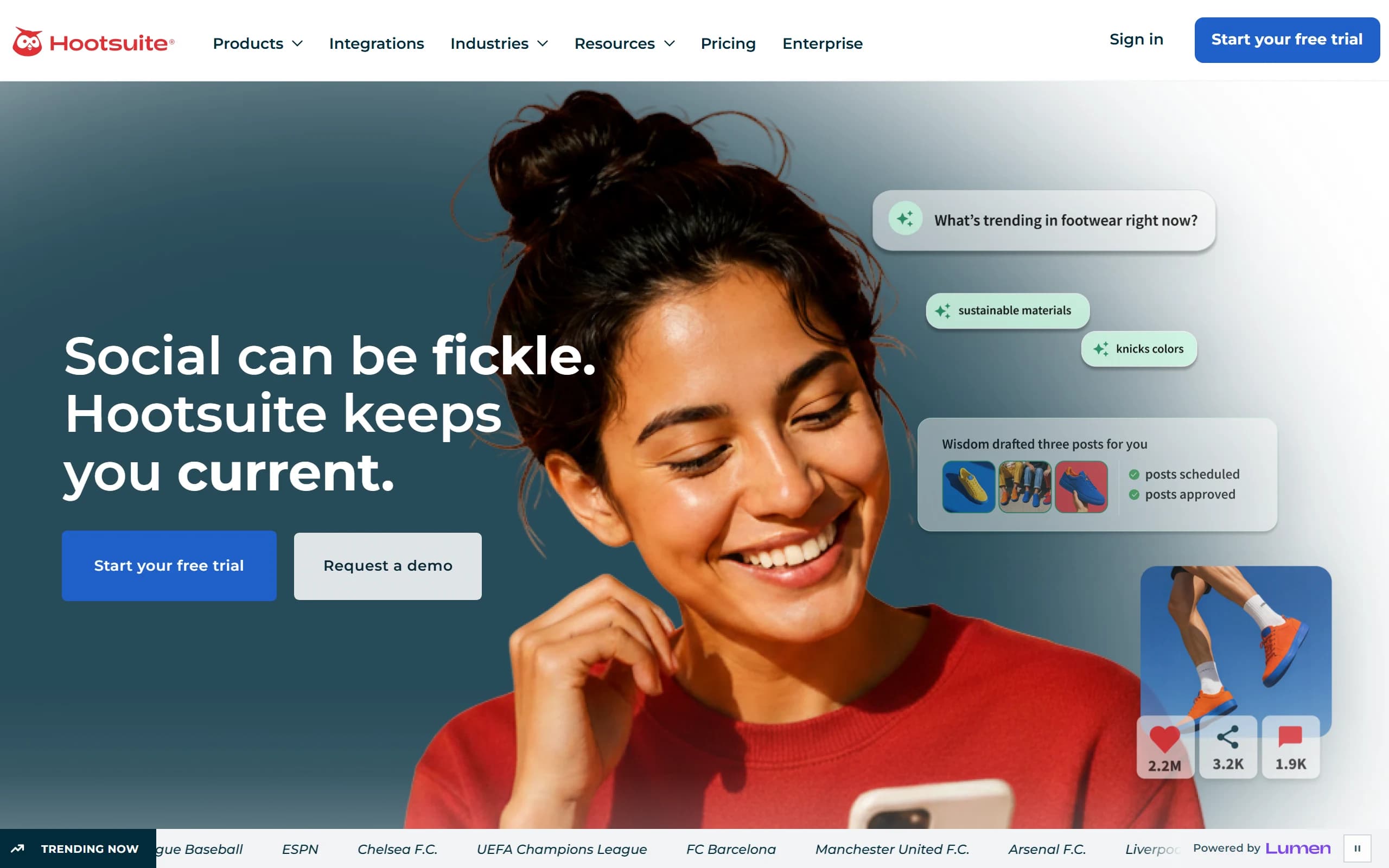
- Best for
- Monitoring that sits next to the publishing queue
- Starting price
- From $99 a seat on Standard, $199 Professional, $399 Advanced. Advanced listening is Enterprise, custom-priced
- Free trial
- 14 days, no card
Pros
- Monitoring streams sit beside scheduling, so one person can spot and reply in the same place.
- Brand and competitor monitoring is included from the Standard plan rather than sold separately.
- Professional widens the social search window to 30 days and adds sentiment and AI summaries.
- Enterprise brings in Lumen by Talkwalker, which is one of the deepest data sets available anywhere.
Cons
- Quick Search on Standard looks back 7 days, so anything older than a week is invisible.
- Advanced listening is Enterprise only, which means a sales process and no published price.
- Per-seat pricing, so the cost scales with the team rather than the brand.
- The Talkwalker branding is mid-transition, so ask what the product on your contract is called.
My take: a good answer to a question that is not quite the one this article asks. It is publishing software with monitoring attached, and that is a perfectly sensible thing to buy. Just do not expect the Standard plan to tell you about a thread from ten days ago, because it cannot see that far back.
Agorapulse
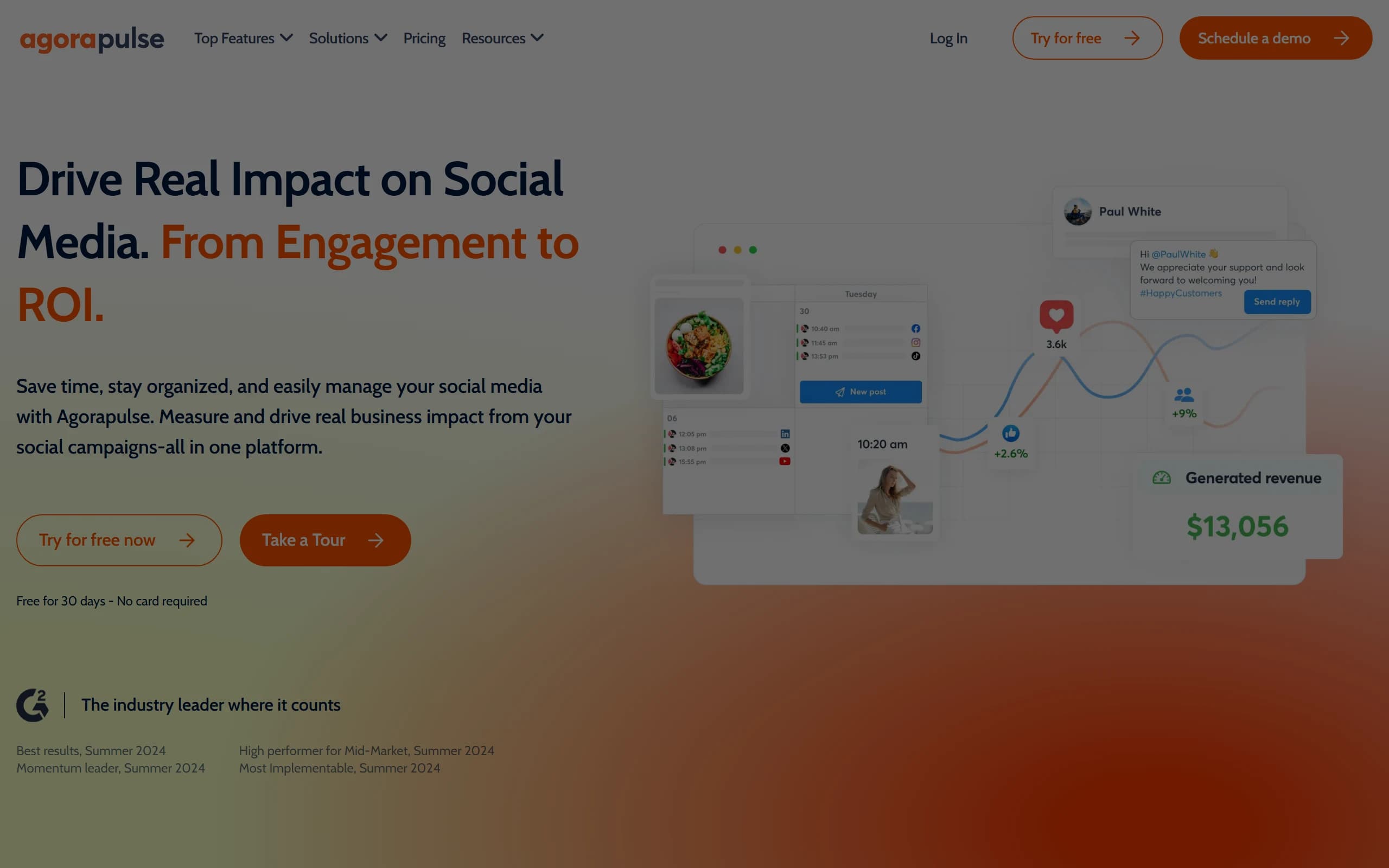
- Best for
- Small teams answering comments, DMs and reviews from one inbox
- Starting price
- $79 a user/mo billed annually ($99 monthly) for Standard. Professional $119, Advanced $149
- Free trial
- 30 days, no card
Pros
- The unified inbox covers comments, DMs and reviews across eleven networks including Reddit and Bluesky.
- 30 days free with no card, which is long enough to see a real month.
- Assignments, saved replies and moderation rules make it workable for a team rather than one person.
- Advanced Listening is available as an add-on if you outgrow owned-profile monitoring.
Cons
- Out of the box it monitors the profiles you own, not the conversations you were not tagged in.
- Advanced Listening is a separate add-on with no published price.
- The reports API is restricted to the Custom plan.
- Scheduled report emails only appear from Advanced upward.
My take: the best inbox on this list for a small team, and the least suitable as a monitoring tool on its own. Most of what damages a brand happens in a thread that never tags the account, which is the whole argument in mentions that do not tag you. Agorapulse plus a cheap keyword tool is a more sensible stack than Agorapulse alone.
Brandwatch
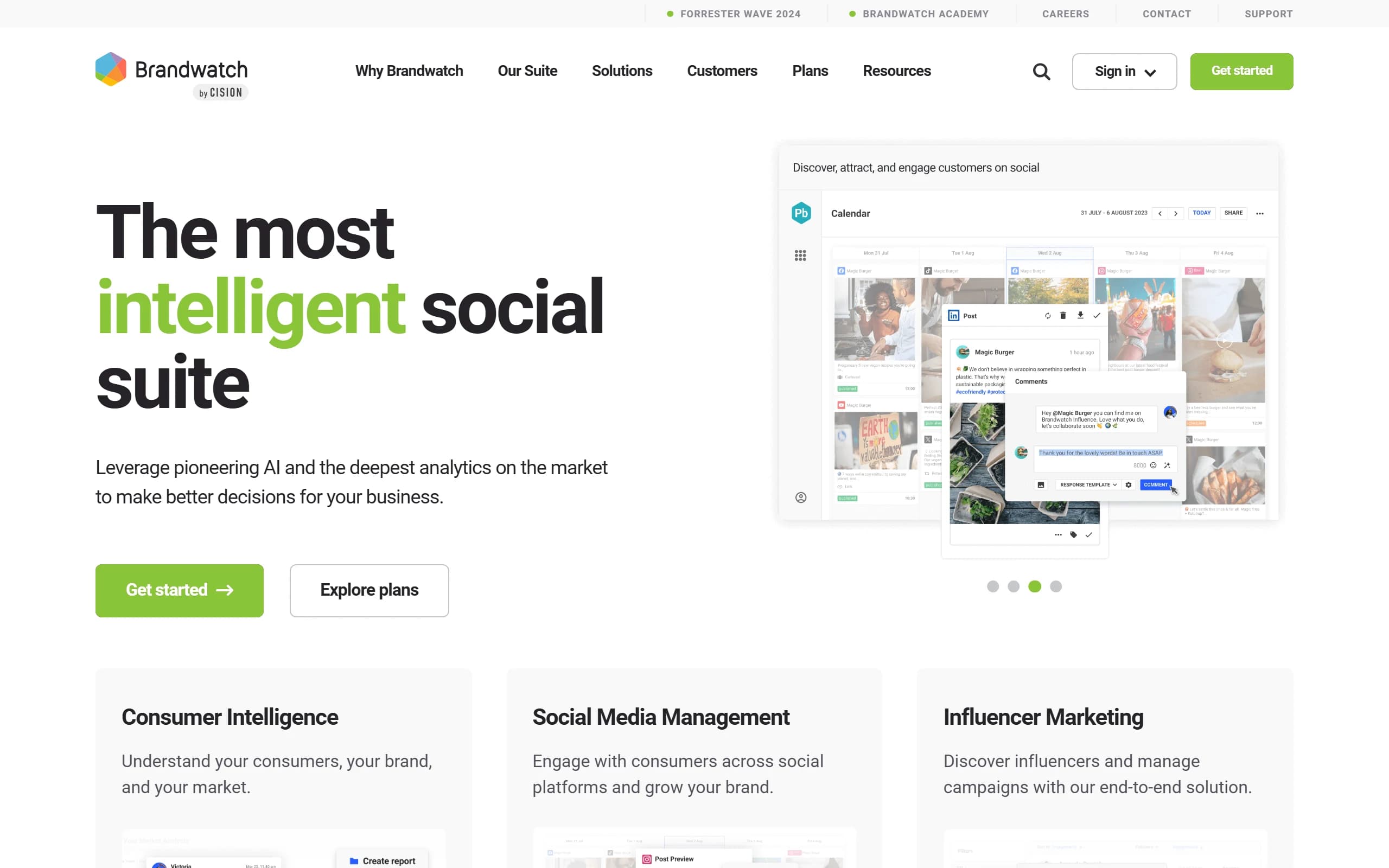
- Best for
- Enterprise insights teams who also need alerting
- Starting price
- Not published. Custom enterprise agreements through a demo
- Free trial
- No self-serve trial, demo only
Pros
- 1.7 trillion historical conversations back to 2010, and 501 million new ones a day by its own count.
- Automated AI-powered email alerts can be routed to stakeholders outside the insights team.
- Coverage across 100 million unique sites, plus broadcast and reviews.
- The strongest query language in the category once someone knows how to write it.
Cons
- No published price and no self-serve trial, so you cannot budget or test before a sales call.
- No refresh interval published on the product page.
- Alerting is described as email to stakeholders, with no Slack or webhook named.
- G2 reviewers often mention a steep learning curve and query building that is hard for new users.
My take: nothing else here has that archive, and Brandwatch earns its price on questions that take a quarter to answer. It is on this list because it does alert, not because alerting is what it is for. Judged only on the two numbers this article cares about it scores badly: no published latency, and alerts that arrive by email to people who did not write the query. Buy it for the research and treat the alerting as a bonus, never the other way round.
Where the alert actually lands
The second half of the test, and the half that decides whether a tool gets used after month two. A mention that arrives in a dashboard nobody opens is the same as no mention at all.
| Tool | Slack or Teams | Webhook or API | |
|---|---|---|---|
| Brand24 | Slack and Teams, every plan | Yes, plus Storm Alerts and mobile push | API, $149/mo add-on on any plan |
| BrandRobin | Slack and Teams, severity routed | Yes, plus one daily digest | Webhooks and API, tier not published |
| Mentionlytics | Slack integration listed | Yes, plus mobile and desktop | API from Essential, $169/mo |
| BrandMentions | Not named on its pricing page | Yes, real-time on the higher tiers | API on Expert, $399/mo |
| Awario | Not named on its pricing page | Yes, email alerts and in-app | API on all three plans, from $29/mo |
| Mention | Slack and Zapier | Yes, plus desktop push | Paid add-on |
| Sprout Social | Its own Smart Inbox | Yes, plus mobile push | Higher tiers |
| Hootsuite | Its own streams | Yes | Limited |
| Agorapulse | Its own inbox | Scheduled reports, Advanced and up | Reports API, Custom plan only |
| Brandwatch | Not named on its product page | Automated AI alerts to stakeholders | Enterprise tiers |
| F5Bot, free | Slack and Discord webhooks | Instant, batched or daily digest | RSS and JSON feeds |
Read the last row again. A free tool covering three sites has better delivery options than several products charging $249 a month, and that is not a throwaway observation. Delivery is cheap to build and easy to skip, and it gets skipped whenever a vendor assumes the dashboard is the product.
The free tools, including the fastest one here
Before spending anything, it is worth knowing exactly where the free tier runs out, because for a solo founder it may not run out at all.
Google Alerts. Free, unlimited keywords, and about thirty seconds to set up. It covers pages in Google's index and delivers as it happens, once a day or once a week. It sees no social platform at all, which is the entire problem with using it as a social media monitoring tool. Keep it running anyway as a backstop for news and blogs.
Talkwalker Alerts. Also free, and it adds X on top of web, news, blogs and forums. Alerts go out by email, RSS or a Slack integration, with an as-it-happens option and Boolean operators to narrow the query. It is the closest free thing to a real monitoring tool.
F5Bot. Free, covers Reddit, Hacker News and Lobsters, checks every few minutes, and sends to email, RSS, JSON, Slack or Discord. Paid tiers at $9.99 and $49.99 raise the keyword limits. For a B2B or developer brand, this is the one that catches the thread that matters, because Reddit is where your category argues.
Run all three together and you have web, X, Reddit and Hacker News for nothing. What you do not have is Instagram, TikTok, LinkedIn, review sites, filtering, sentiment, a record you can search later, or any way to tell a spike from a Tuesday. The upgrade moment is not when the free stack stops working. It is the first time you find out about something important from a customer rather than from a tool.
Which one I would shortlist, by situation
| If you are… | Shortlist | Why |
|---|---|---|
| Watching Reddit and Hacker News, with no budget | F5Bot | Every few minutes into Slack, free |
| Buying one self-serve tool for the whole brand | Brand24 Pro | Broadest named channels, published real-time tier |
| Wanting to be interrupted rarely and correctly | BrandRobin | Alerts against your own baseline, with the post attached |
| Covering reviews as well as social, cheaply | Mentionlytics | Six-hour updates at $169, review coverage included |
| Watching a small keyword set for accuracy | BrandMentions Expert | Best-reviewed accuracy, if you can find the $399 |
| Feeding mentions into your own systems | Awario | API on the $29 plan, which nobody else offers |
| Already replying to everything in one tool | Sprout Social, Agorapulse | Monitoring where the team already works |
| Answering category questions with analysts | Brandwatch | Archive depth nothing self-serve matches |
How to test alert speed in one afternoon
Every tool on this list looks fast on a demo account, because demo accounts are populated. Here is the test I would run instead. It takes about an hour of setup and one afternoon of waiting, and it produces a number rather than an impression.
- 01
Start every trial on the same morning
Same brand name, same competitor, same keywords. Trials run in different weeks compare two different weeks, not two tools, because conversation volume swings enormously day to day.
- 02
Plant one post you control
Write something ordinary on Reddit or LinkedIn containing a phrase nobody else uses, and note the exact minute you posted it. This is your stopwatch start, and it is the only way to measure latency rather than guess at it.
- 03
Log arrival times, not arrivals
The useful column is minutes elapsed. A tool that found it in nine minutes and one that found it in eleven hours both count as 'found it' on a feature comparison, and they are not the same product.
- 04
Then check the thread you cannot plant
Find a real conversation from last week that you already know exists, ideally one nobody tagged you in. See which tools have it at all. Speed is worth nothing on a source a tool does not read, and this is where coverage claims get tested honestly.
Do that and you will end up with a table that no vendor can argue with, because every number in it came from your own brand. If you want the budget side of the same exercise, what social listening actually costs walks through a realistic year one.
The short answer
There is no best social media monitoring tool in 2026. There is the tool that matches how quickly you need to know and where you want to be told, and those two questions have better answers than any feature list.
The thing I did not expect when I started reading these pricing pages is that the entry plan does not give you a slower version of the product. It gives you a different product. Twelve hours is not monitoring with a lag; it is a record, and a record is genuinely useful for understanding a quarter. It is just no use at all on the Tuesday afternoon when something is going wrong and nobody has noticed yet.
Work out which of those two you are actually buying. Then read the plan table before the feature page, because the feature page will say real-time either way.
Keep reading
Social Listening
Best social listening tools in 2026 (Tried & tested)
Read itCompetitor Intelligence
7 Octolens Alternatives, With What Each One Actually Costs
Octolens Pro is $199 a month. Seven alternatives with their real entry prices, read off each vendor's own pricing page — including the free one, and the two that cost more than the thing you were trying to replace.
Read itPR & Crisis Management
How to Handle a Social Media PR Crisis
The worst decision is rarely the statement. It is the one made in the first twenty minutes about whether this is a crisis at all. A tier model, the test that separates a bad Tuesday from a real incident, and why a late response is a second incident rather than a weaker one.
Read it